BenVerse X
📸 Scenario Examples
A closer look at the real Make + Airtable scenarios running behind BenVerse X.
A closer look at the real Make + Airtable scenarios running behind BenVerse X.
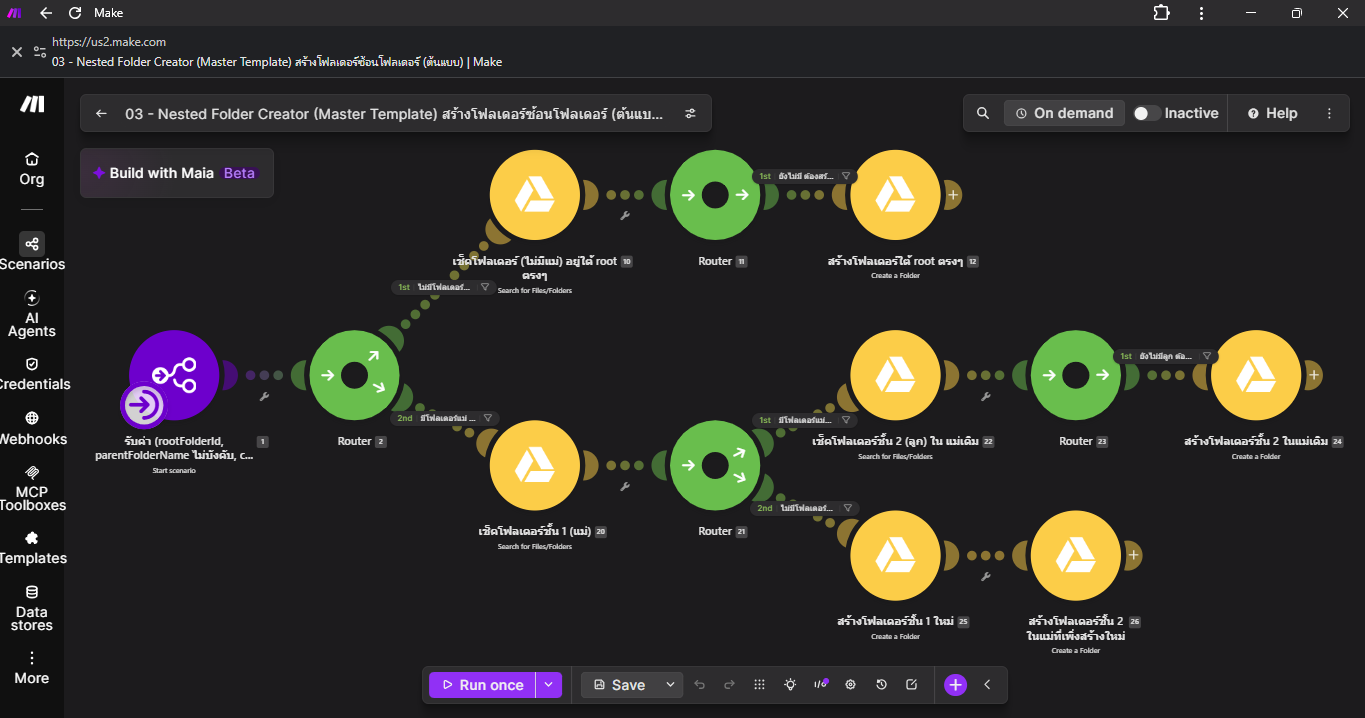
Auto-creates organized folders in Google Drive
🔍 Click to view full screenshot
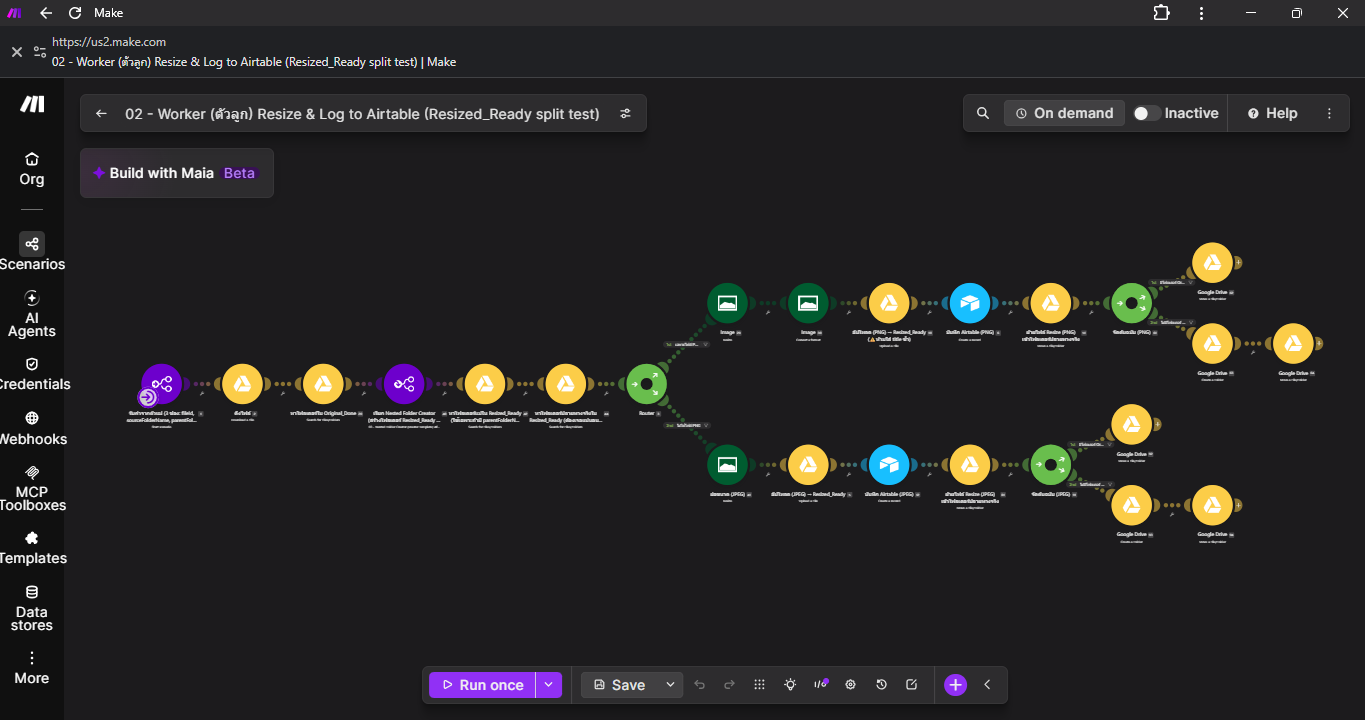
Resizes images and logs results automatically
🔍 Click to view full screenshot
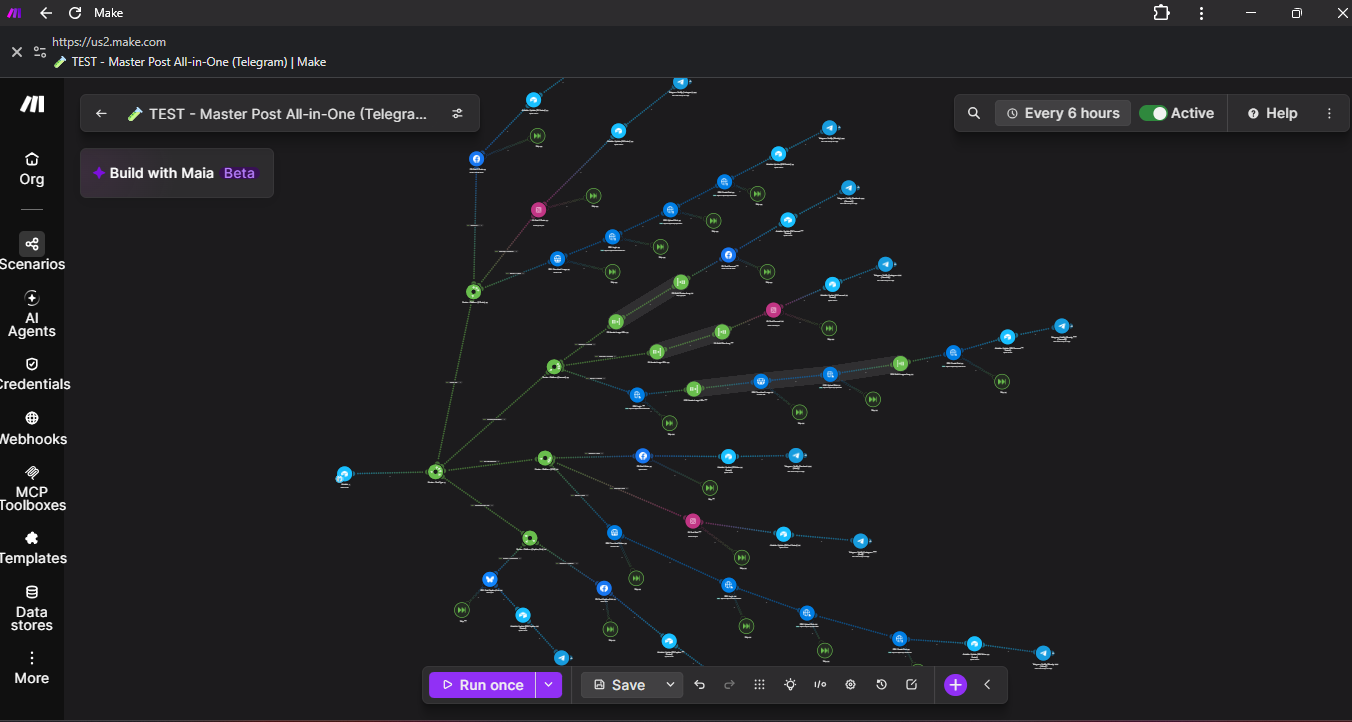
One scenario, posts to every platform at once
🔍 Click to view full screenshot
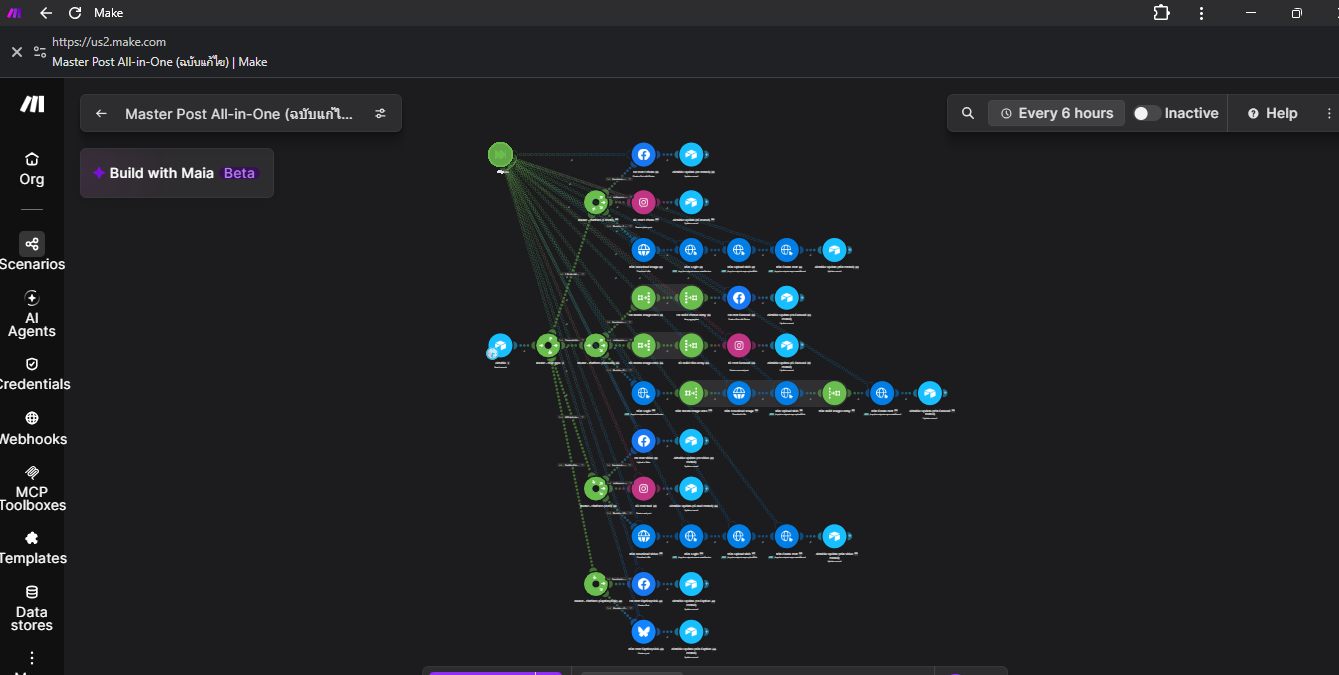
The full multi-platform posting map
🔍 Click to view full screenshot
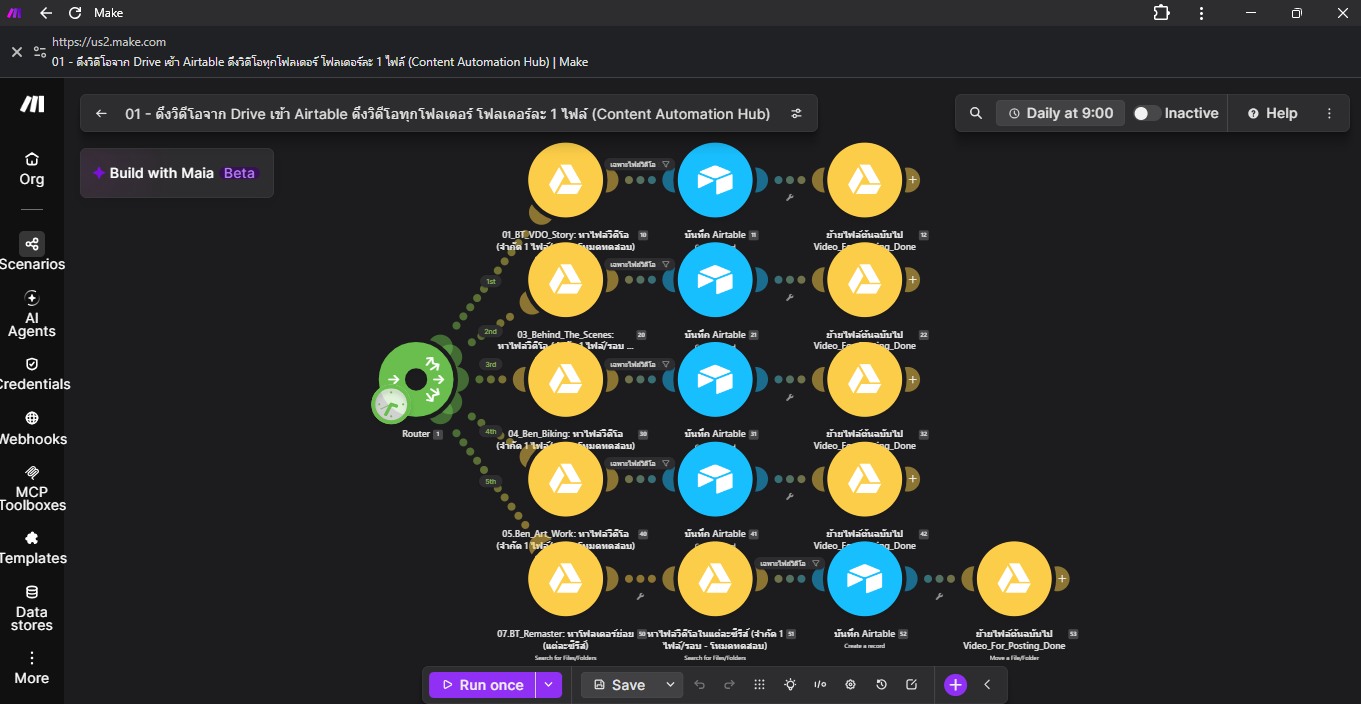
Pulls video from Drive straight into Airtable
🔍 Click to view full screenshot
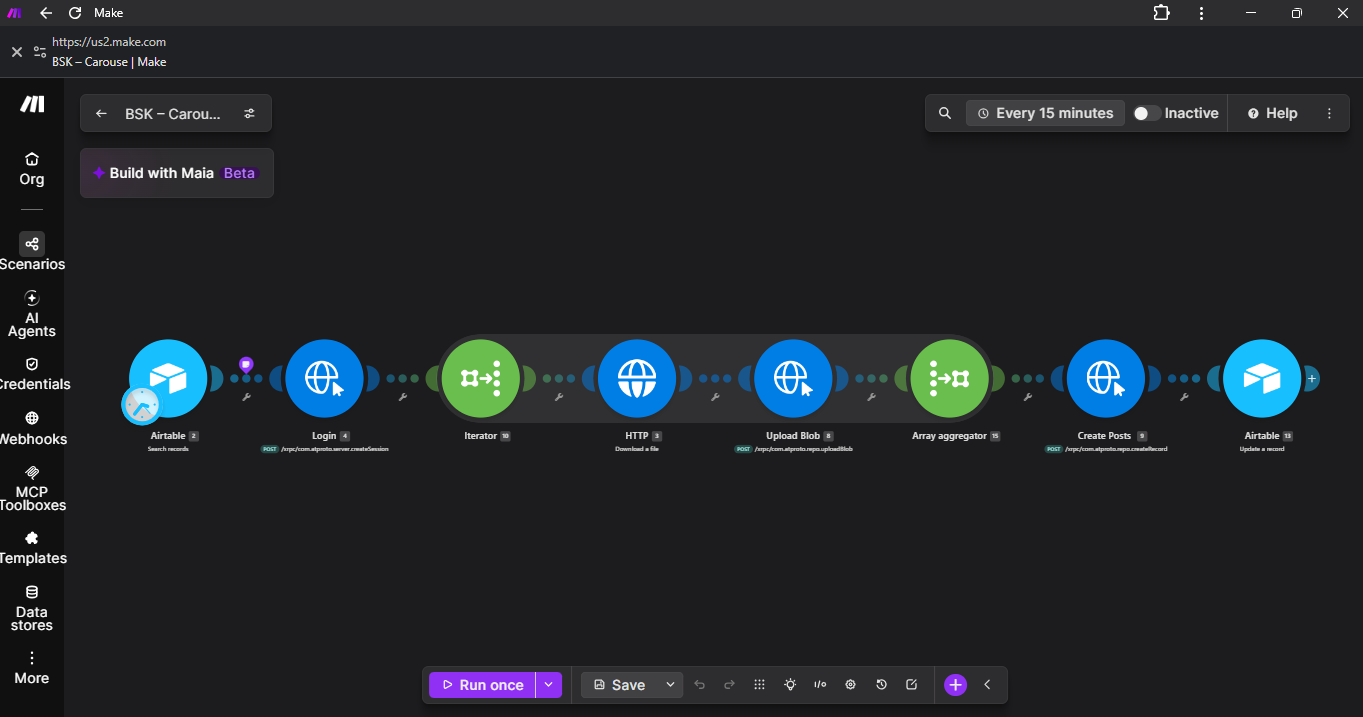
Automated carousel posting workflow
🔍 Click to view full screenshot
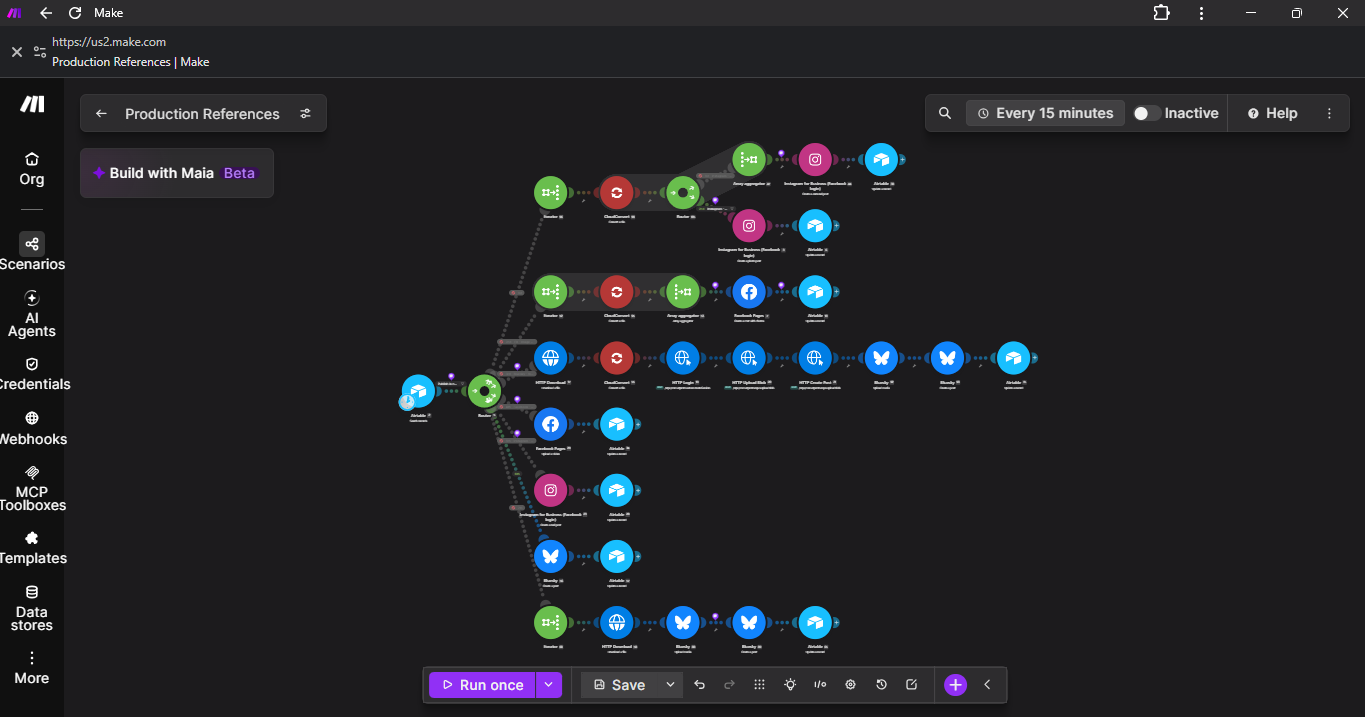
Full production reference map across platforms
🔍 Click to view full screenshot
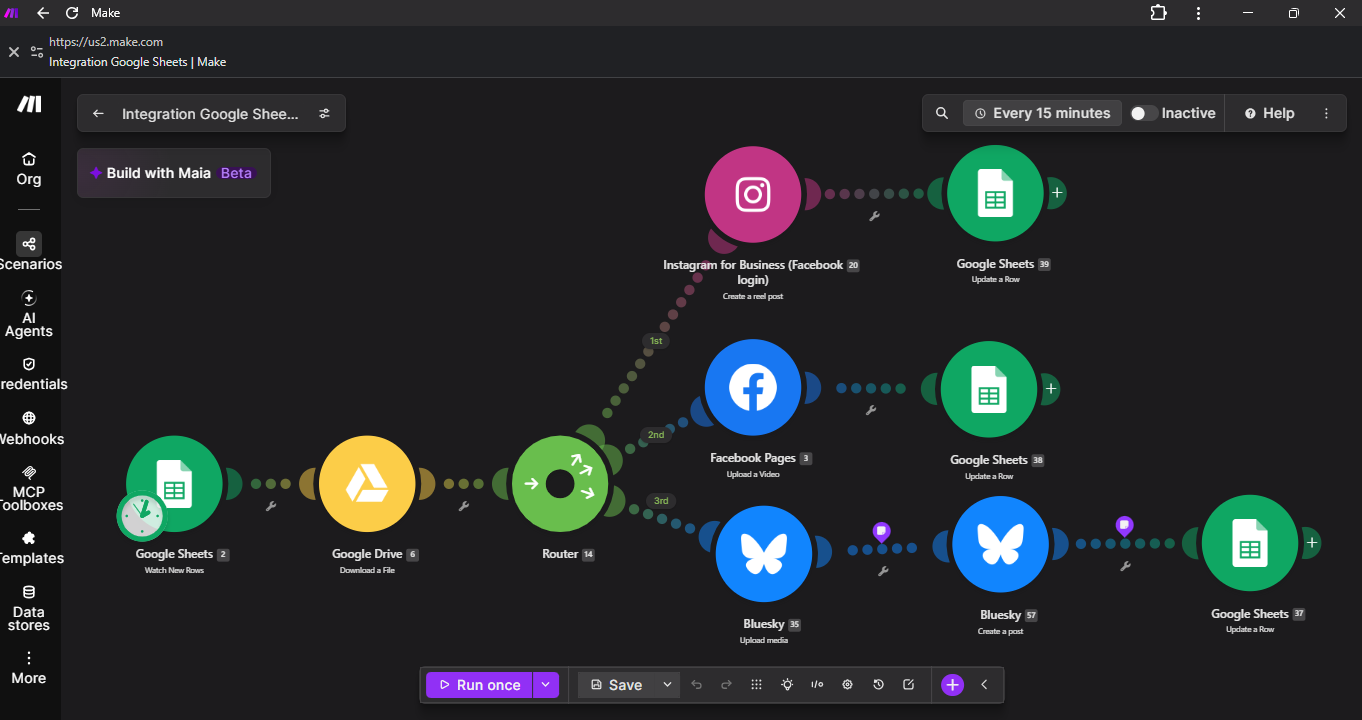
Auto-posts video to Reels, Facebook & Bluesky
🔍 Click to view full screenshot
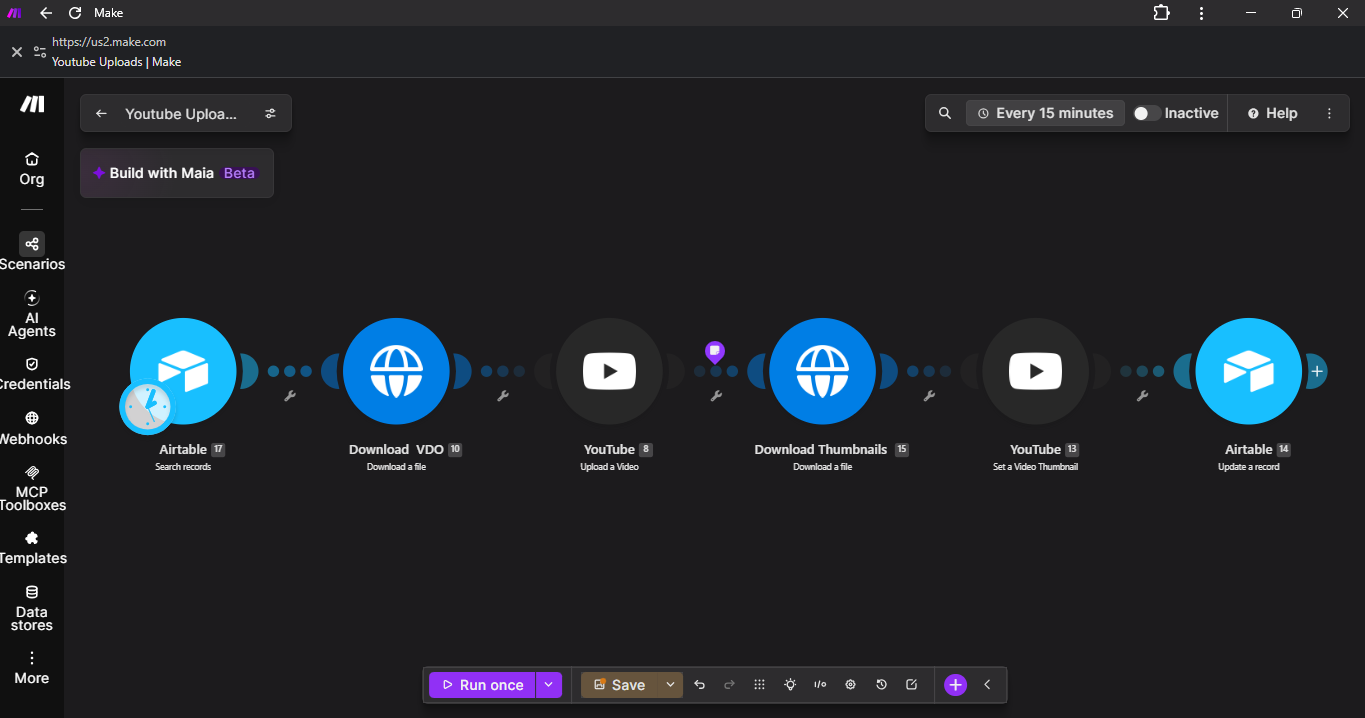
Auto-uploads video + thumbnail to YouTube
🔍 Click to view full screenshot
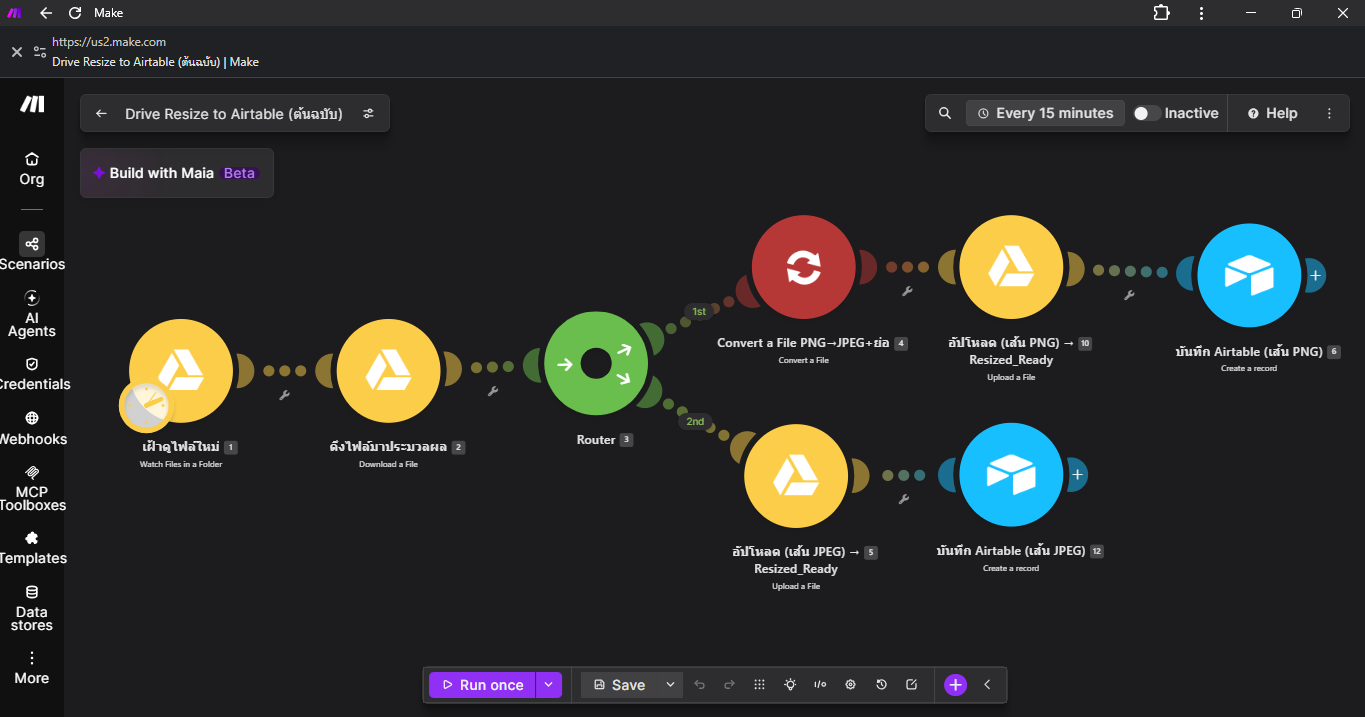
Watches Drive, converts & logs into Airtable
🔍 Click to view full screenshot
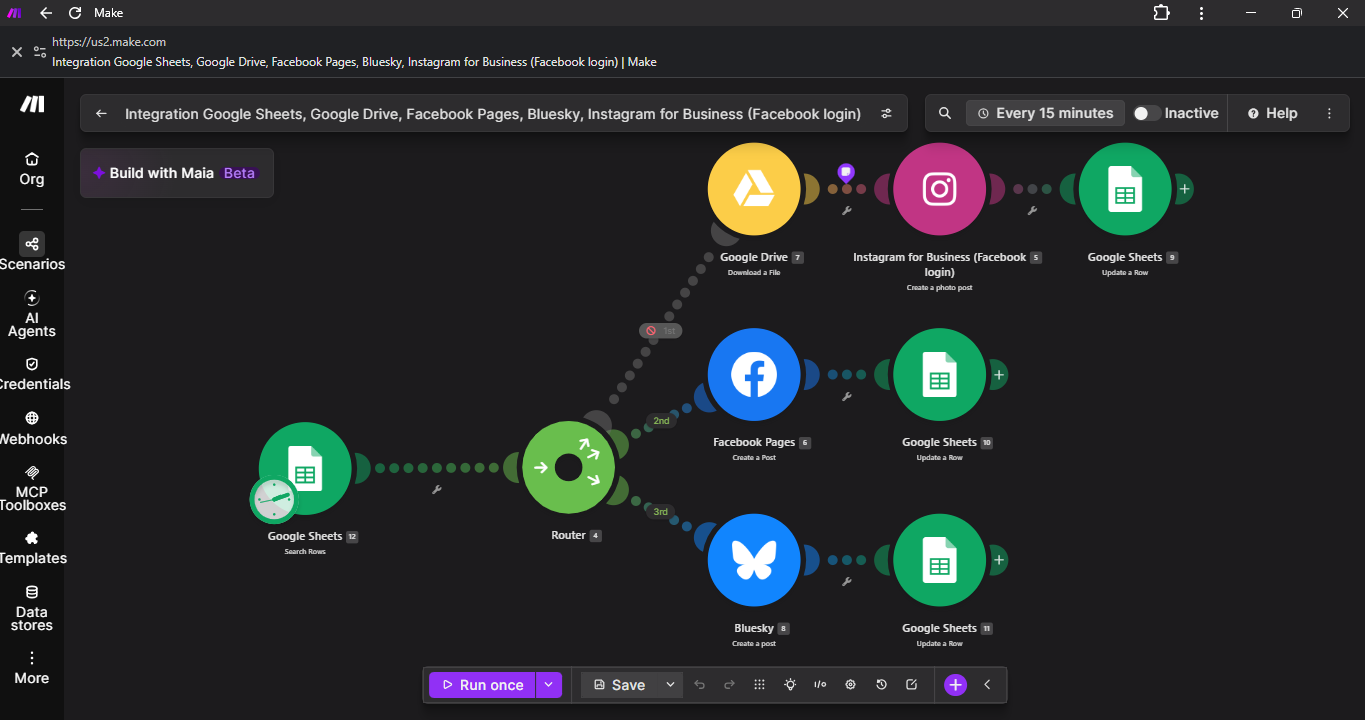
Auto-posts photos to IG, Facebook & Bluesky
🔍 Click to view full screenshot
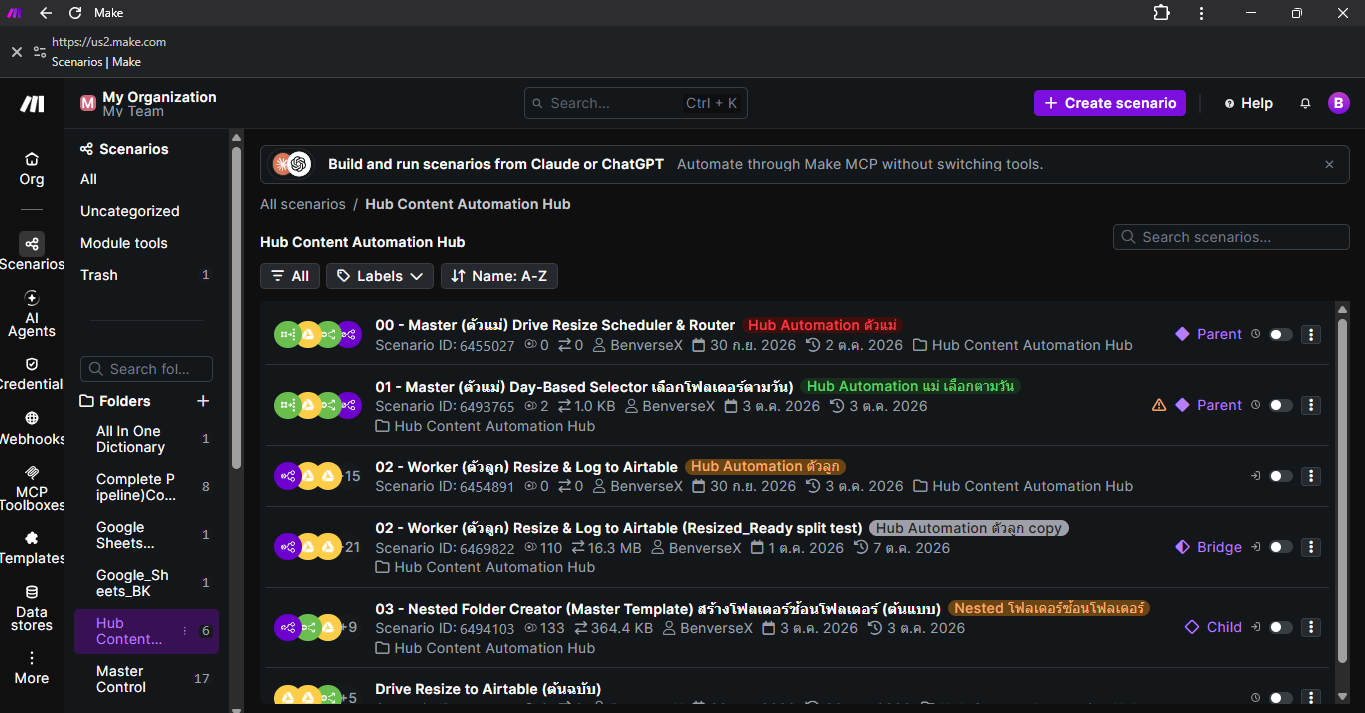
Full folder view of the Content Automation Hub
🔍 Click to view full screenshot
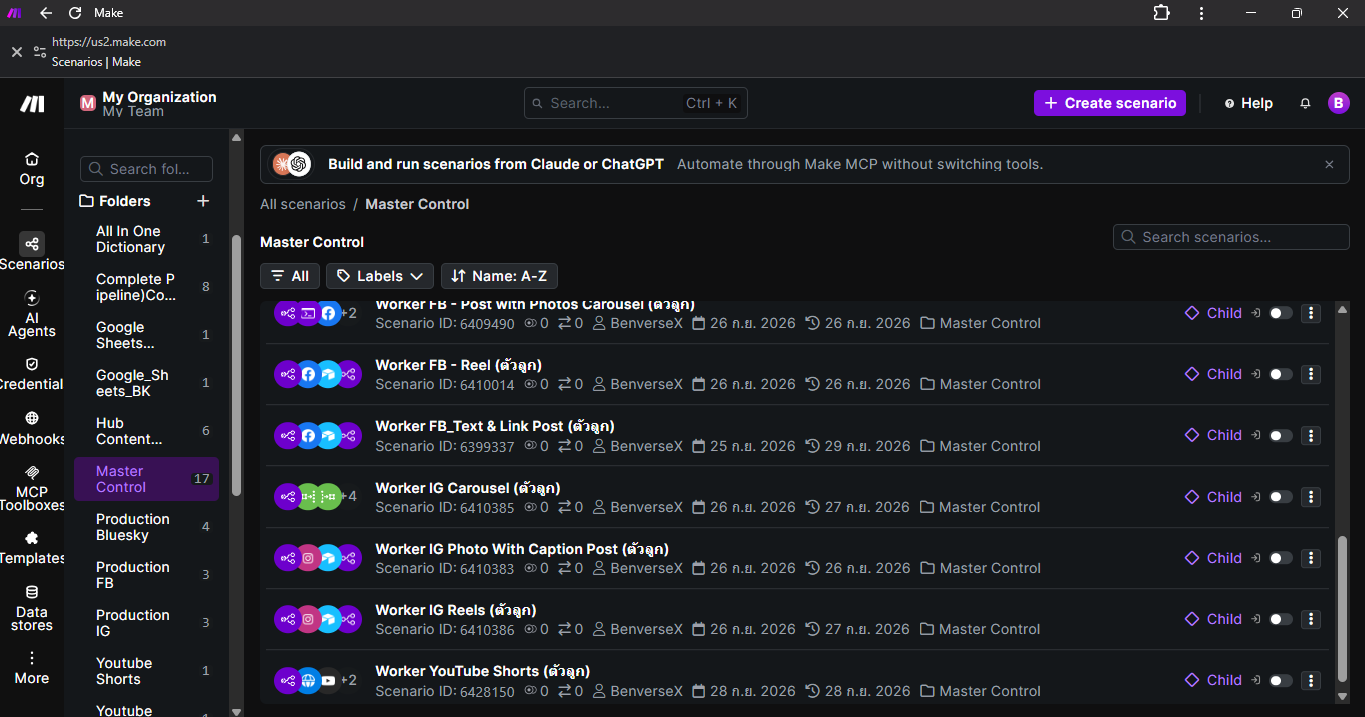
17 worker scenarios, organized in one folder
🔍 Click to view full screenshot
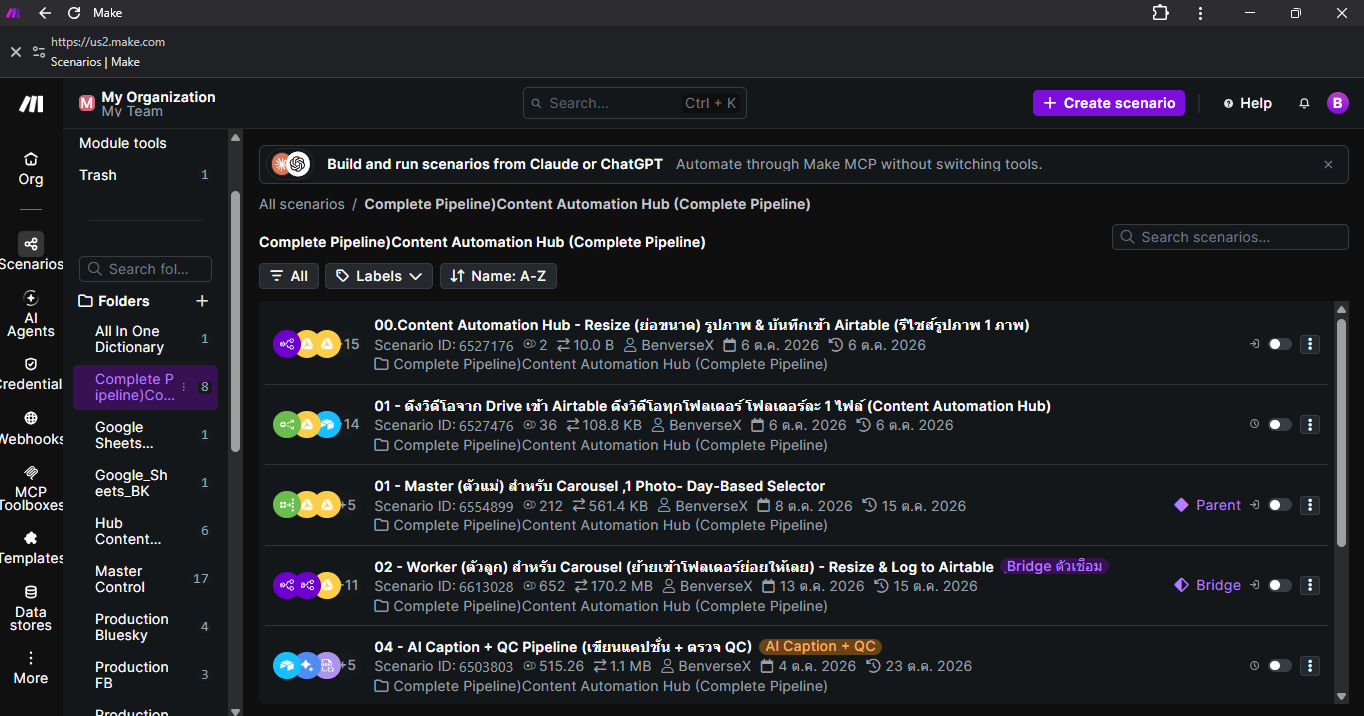
End-to-end pipeline: resize, AI caption & QC
🔍 Click to view full screenshot
© 2026 BenVerse X — All Rights Reserved